

Voice & Text Agent

An assistant on every page of zunidesign.com. Visitors ask about the studio by voice or text, it answers from the site's own content, and it takes them to the page that shows the answer. It's running on this page right now.
The Challenge
How do you answer a visitor's question before they give up looking?
A studio site gets read in fragments. People arrive with one question, about the work, the price or how a project runs, and the answer sits on a page they haven't found yet. If it takes too long, the easiest thing to do is leave, and a contact form is a big ask for a small question.
The Solution
An assistant that answers,
then shows you
Ask by voice or text on any page. It answers in a sentence or two from the site's own content, then opens the case study, service or booking page that backs the answer up.
01
It only knows the site
Answers come from the site's own pages. If something isn't there, it says so and suggests a call.
02
It acts, not just talks
Two tools: open a page and show the booking card. It never says a page is open unless it actually opened it.
03
Type or talk, and switch
Text and voice share one conversation. Type during a call, or carry a chat into voice without starting over.
04
Calm, not chatty
Replies are one to three sentences. The button waits in the corner and only speaks up when you ask.
Getting In
Always there, never in the way
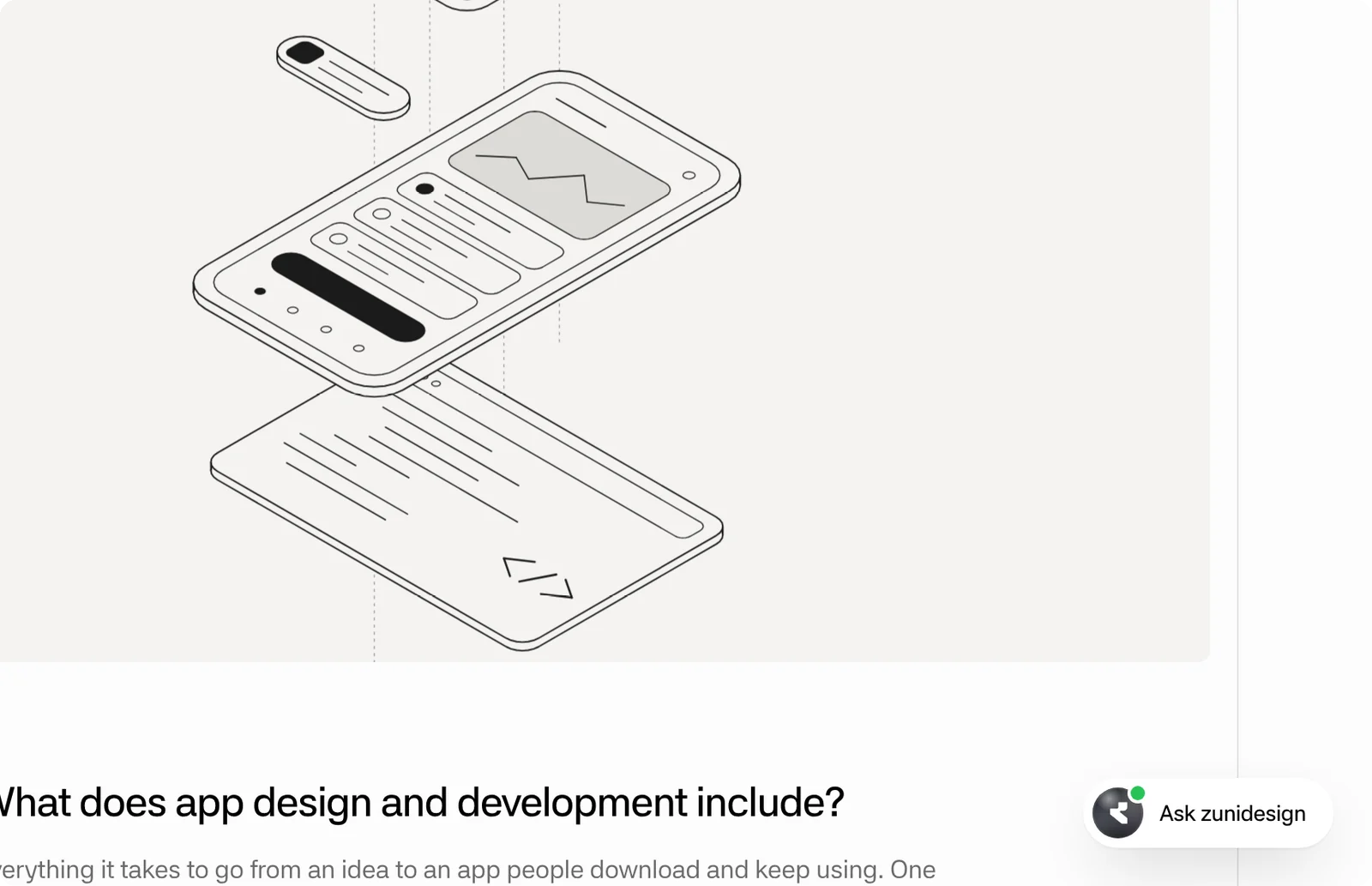
A small button sits in the corner of every page, with a hint that changes with the page: on a case study it offers to explain the work, on a service page what's included. It tucks its label away while you scroll, and the / key opens it from anywhere.
We also tried a large ask bar in the homepage hero and a bar centred along the bottom. Both pulled attention away from the work, so the assistant went back to the corner and got its own row in the homepage's work list instead.
Text
Answers you can act on
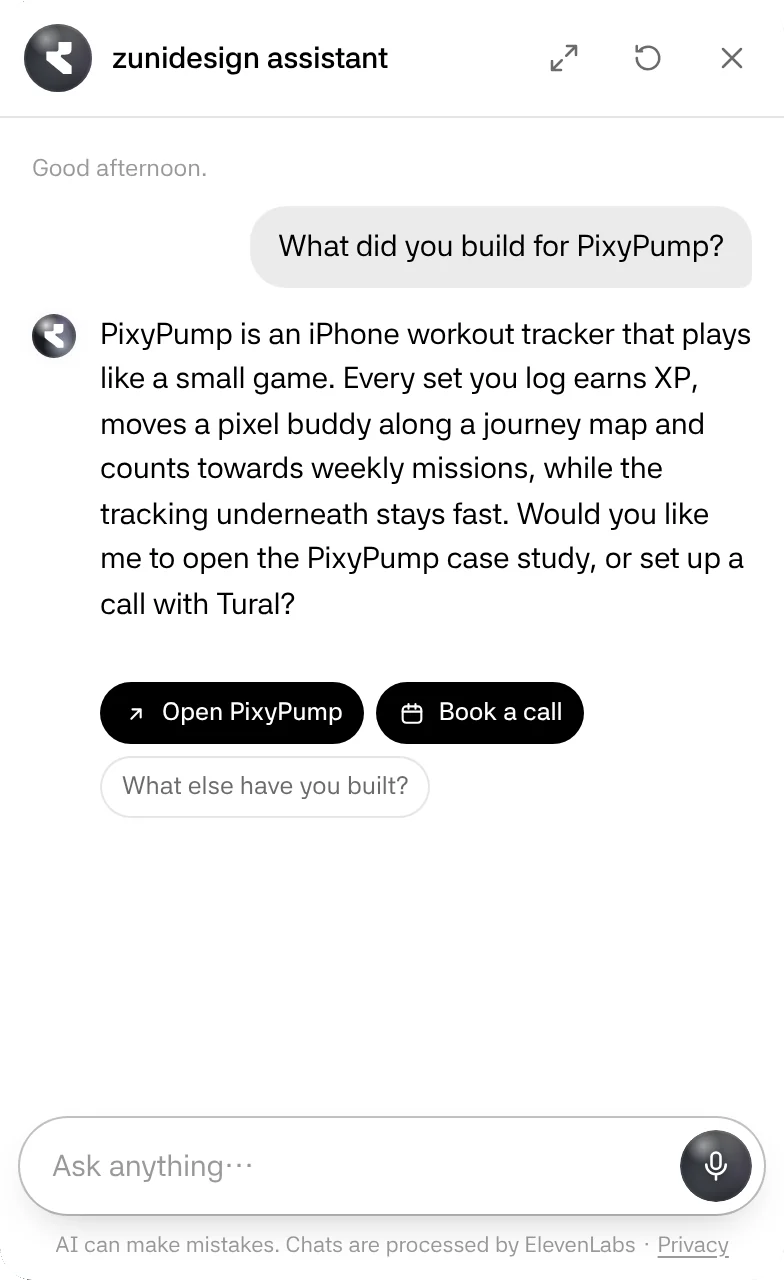
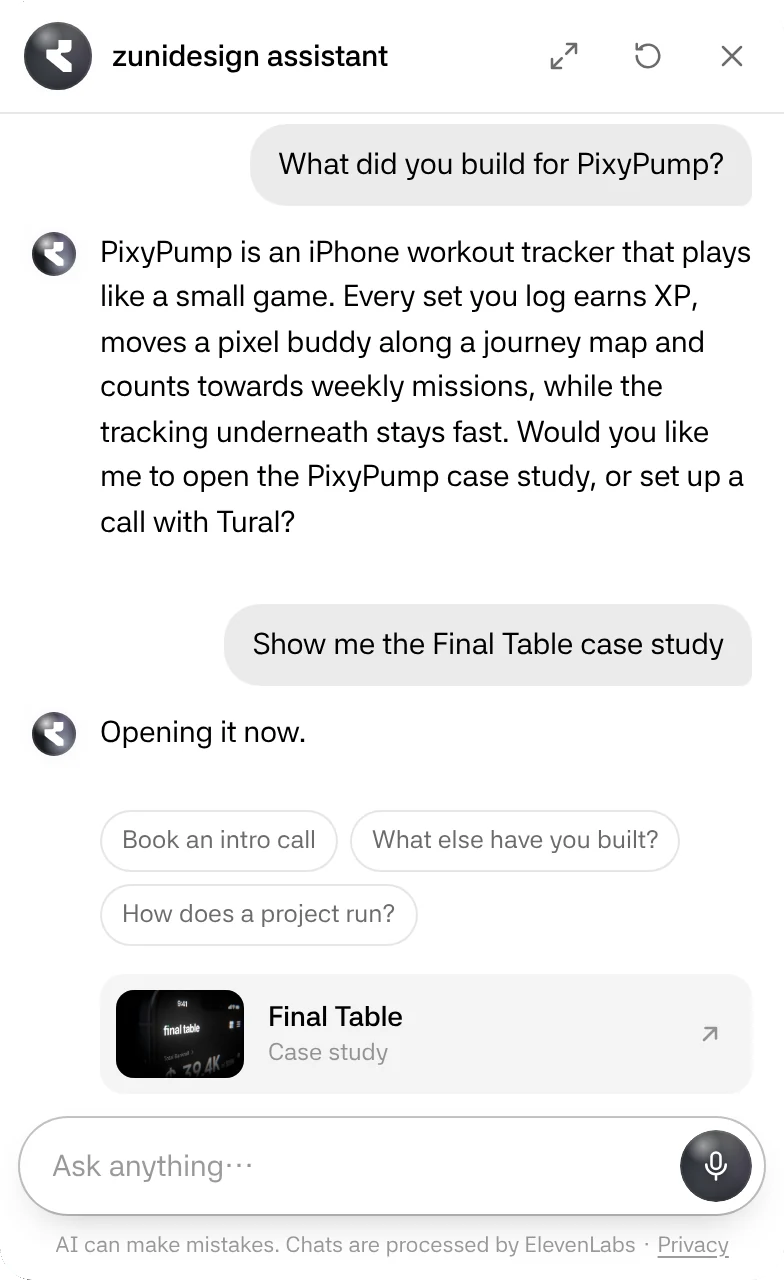
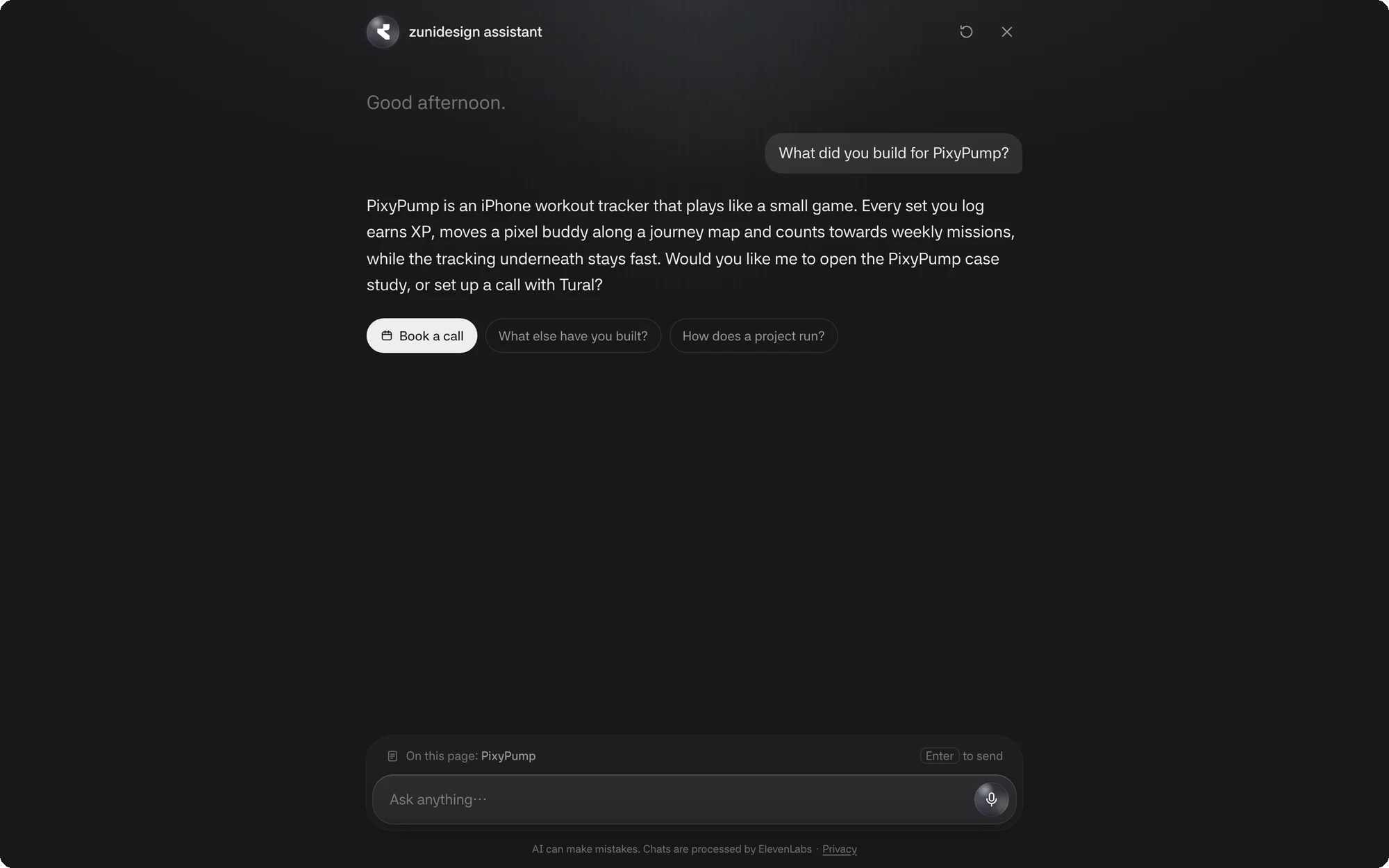
Replies stream in as they're written and stay short. When an answer ends with an offer, like opening the case study or setting up a call, the offer becomes a button, so a visitor taps instead of typing "yes".
Pages the assistant mentions arrive as cards with a thumbnail. Follow-up suggestions sit under each answer and skip anything you've already asked.
Voice
A conversation you can see
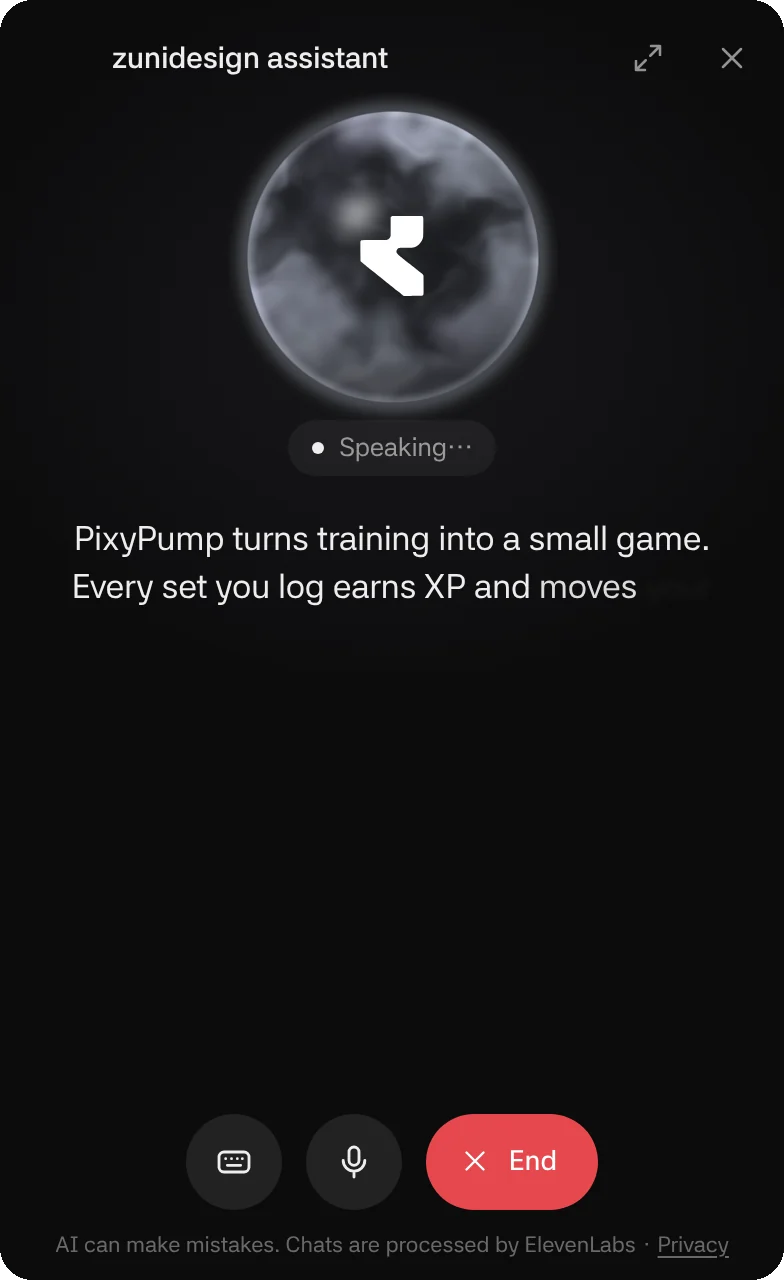
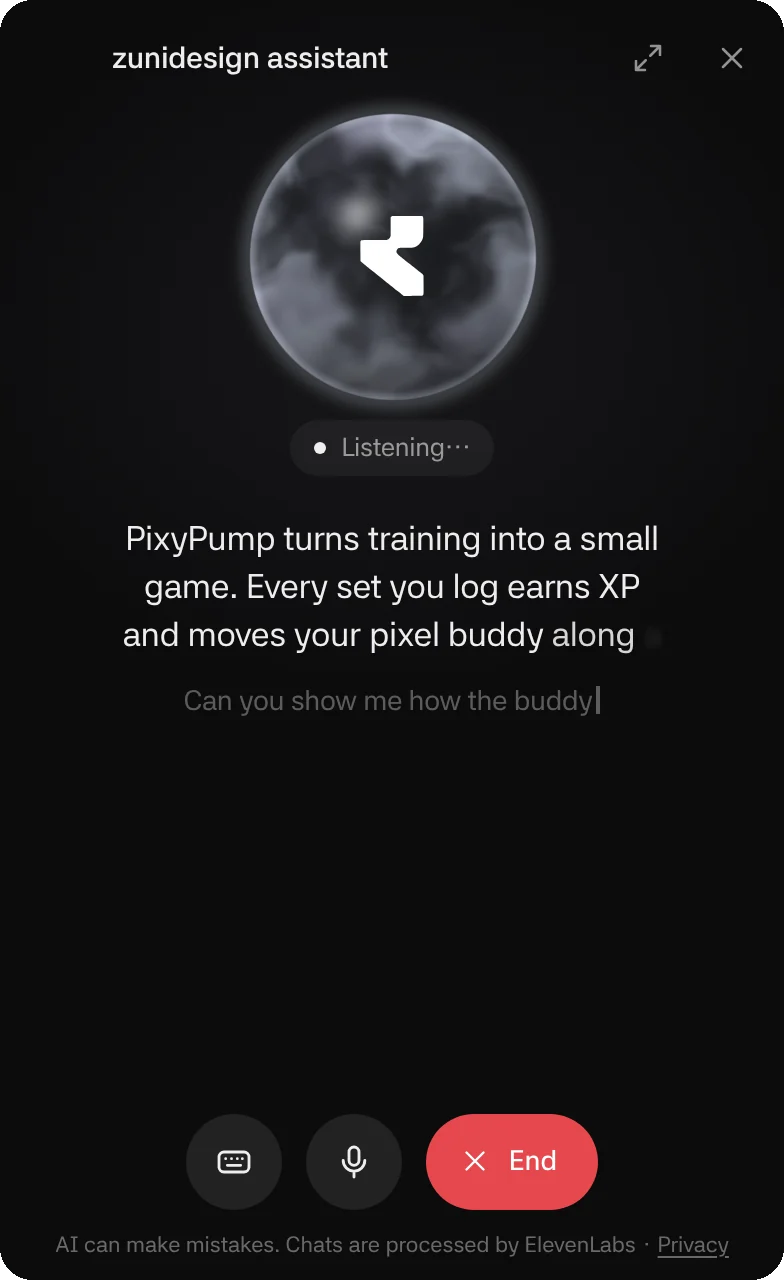
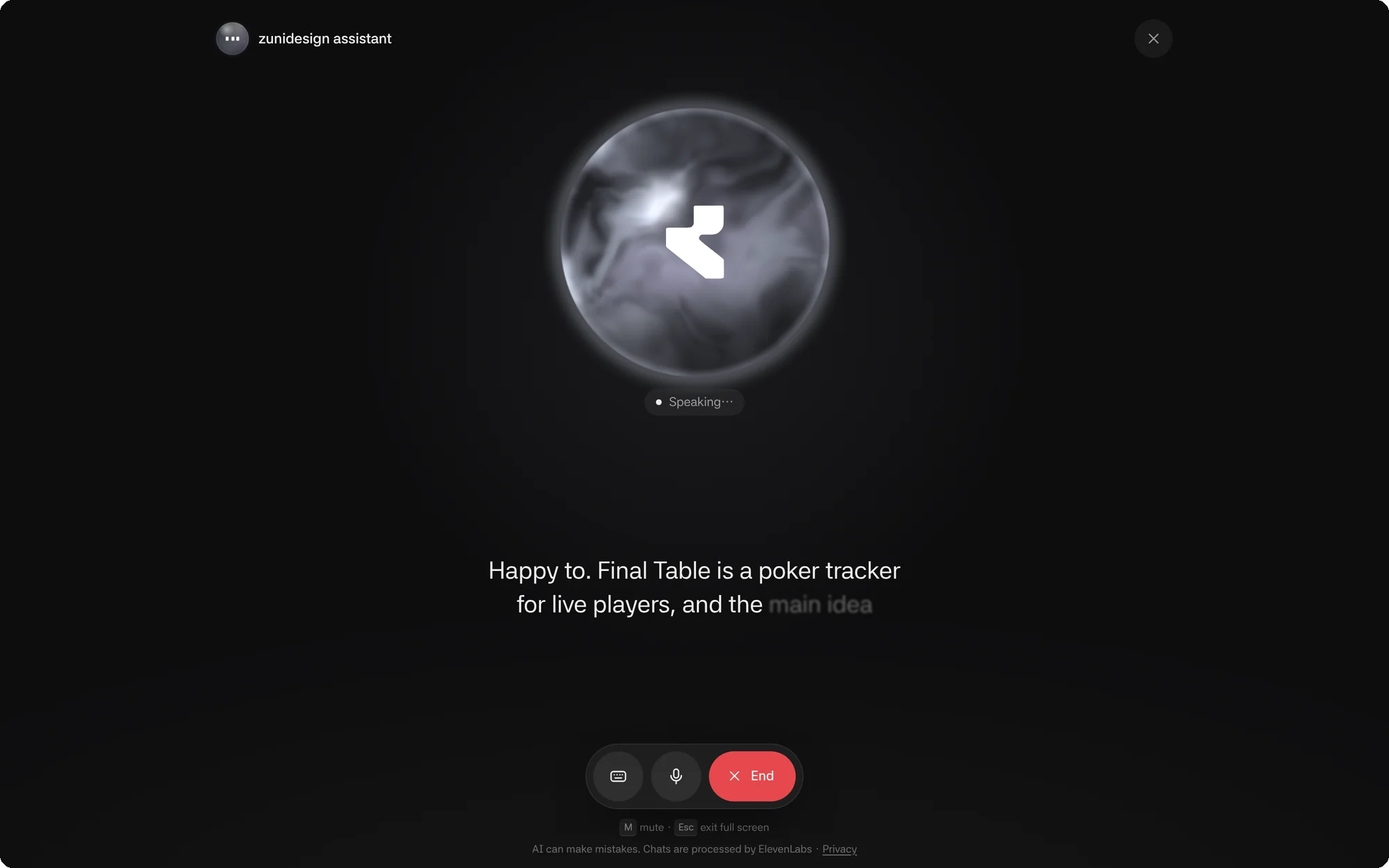
In a call the panel turns dark and the orb takes the stage. It moves with the voice, swirling faster while the assistant speaks and swelling with the level of yours.
Captions follow the speech word by word, timed to the audio, in a short rolling window rather than a wall of text. While you talk, your own words appear as you say them, so you know you're being heard.
M mutes, the keyboard button lets you type mid-call, and one red button ends it.
Taking You There
Ask to see it, and it opens
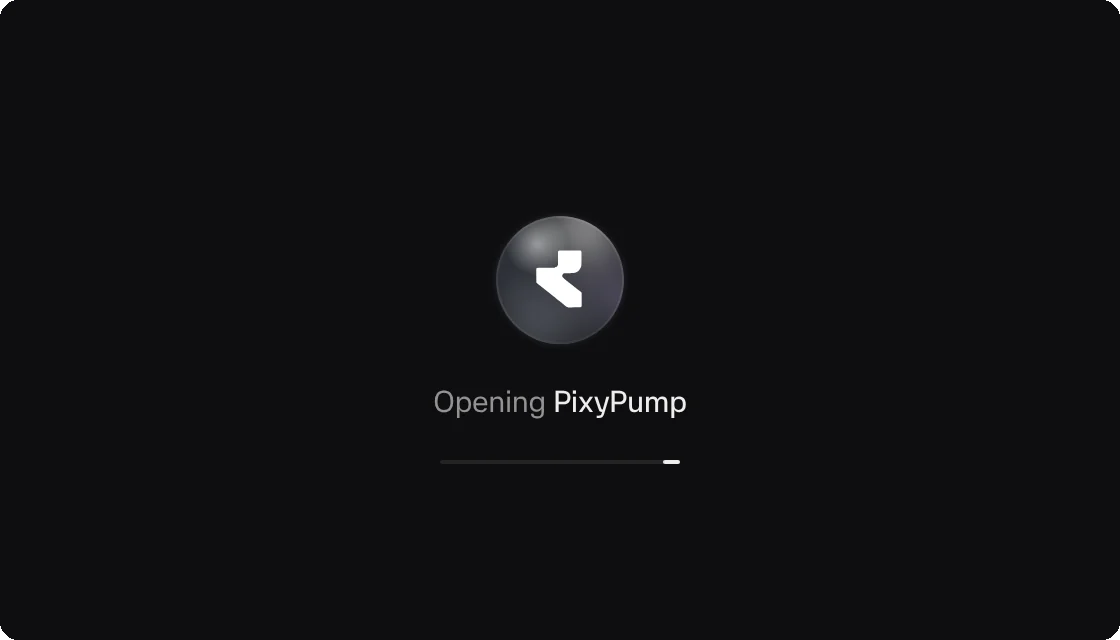
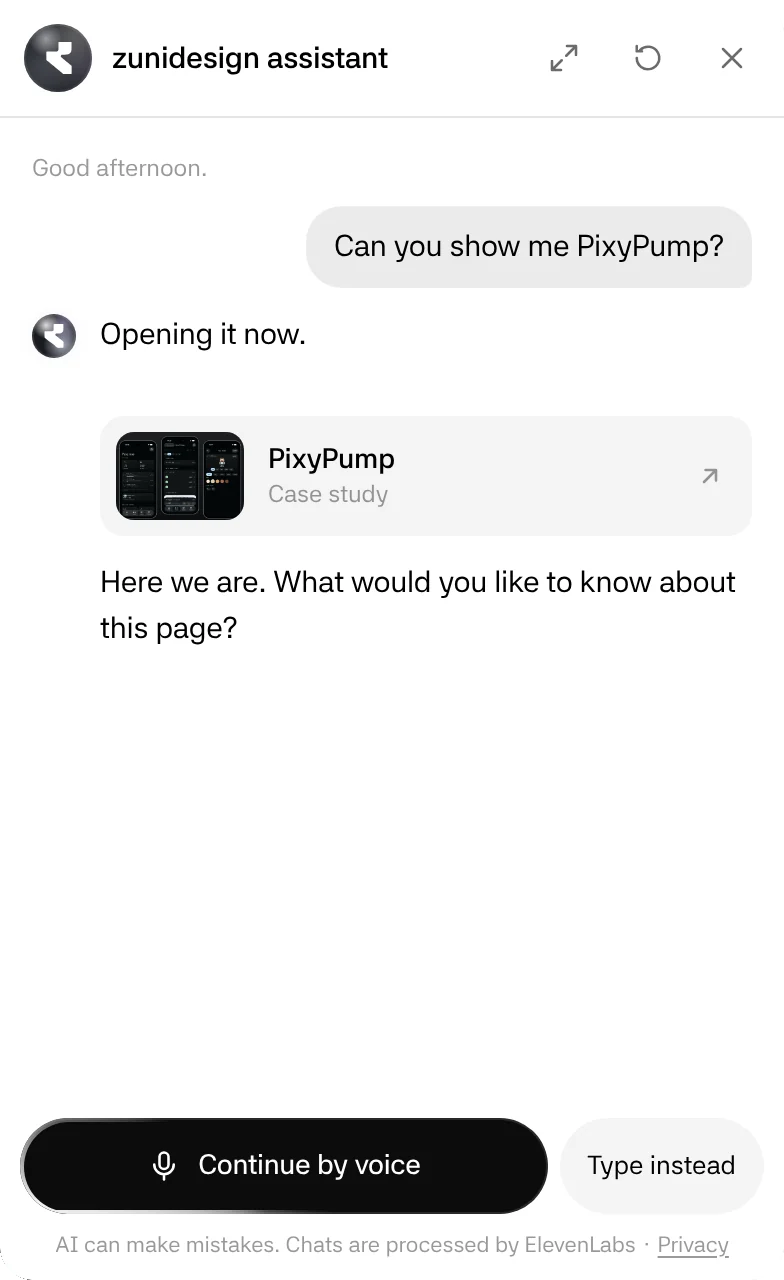
When you ask to see something, the assistant opens the page itself. A calm loader with the orb covers the change, so images don't pile up mid-transition. In a call it finishes its sentence first, and the new page offers "Continue by voice" to pick up where you left off.
Early on, the assistant would sometimes say a page was open when it wasn't. The fix went in two places: the model is told a page only opens when it calls the tool, and the interface only shows a page card when the tool has actually run.
Full Screen
Room to read, room to talk
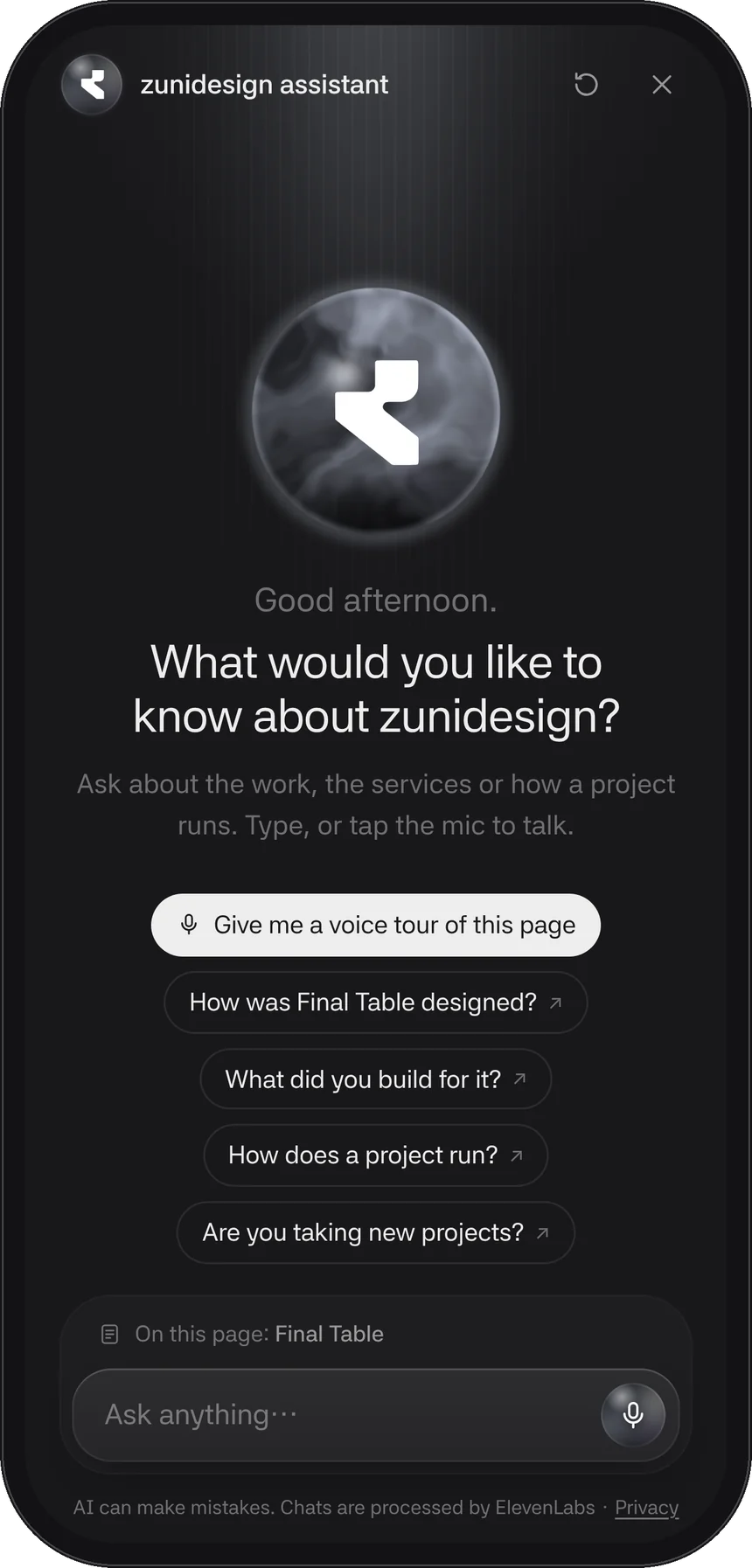
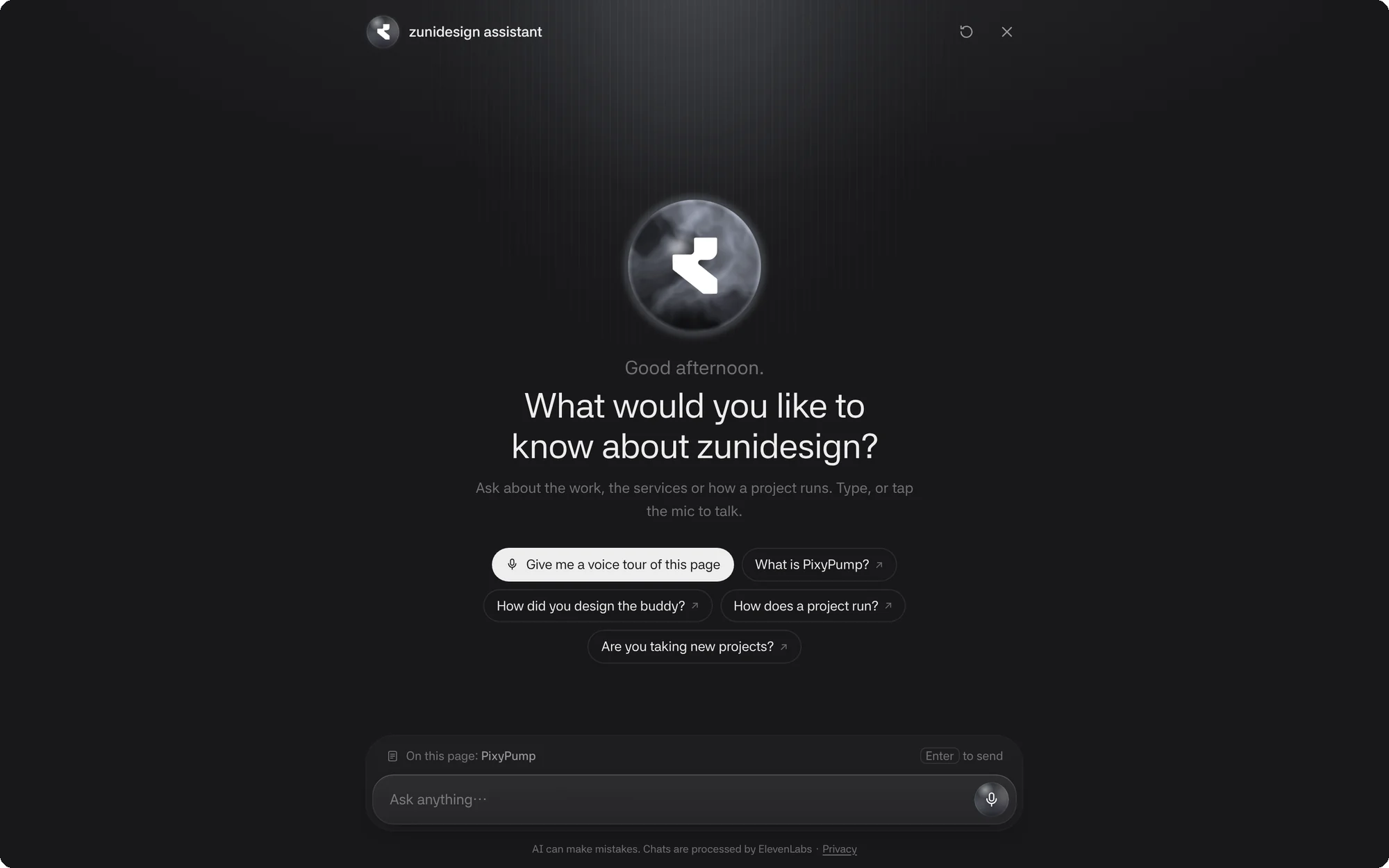
One icon expands the panel into a full-screen view: a centred reading column, a welcome with the live orb under a soft light, and an input that knows which page you came from. Close it and you're back in the side panel, mid-conversation.
On a Phone
Built for one hand
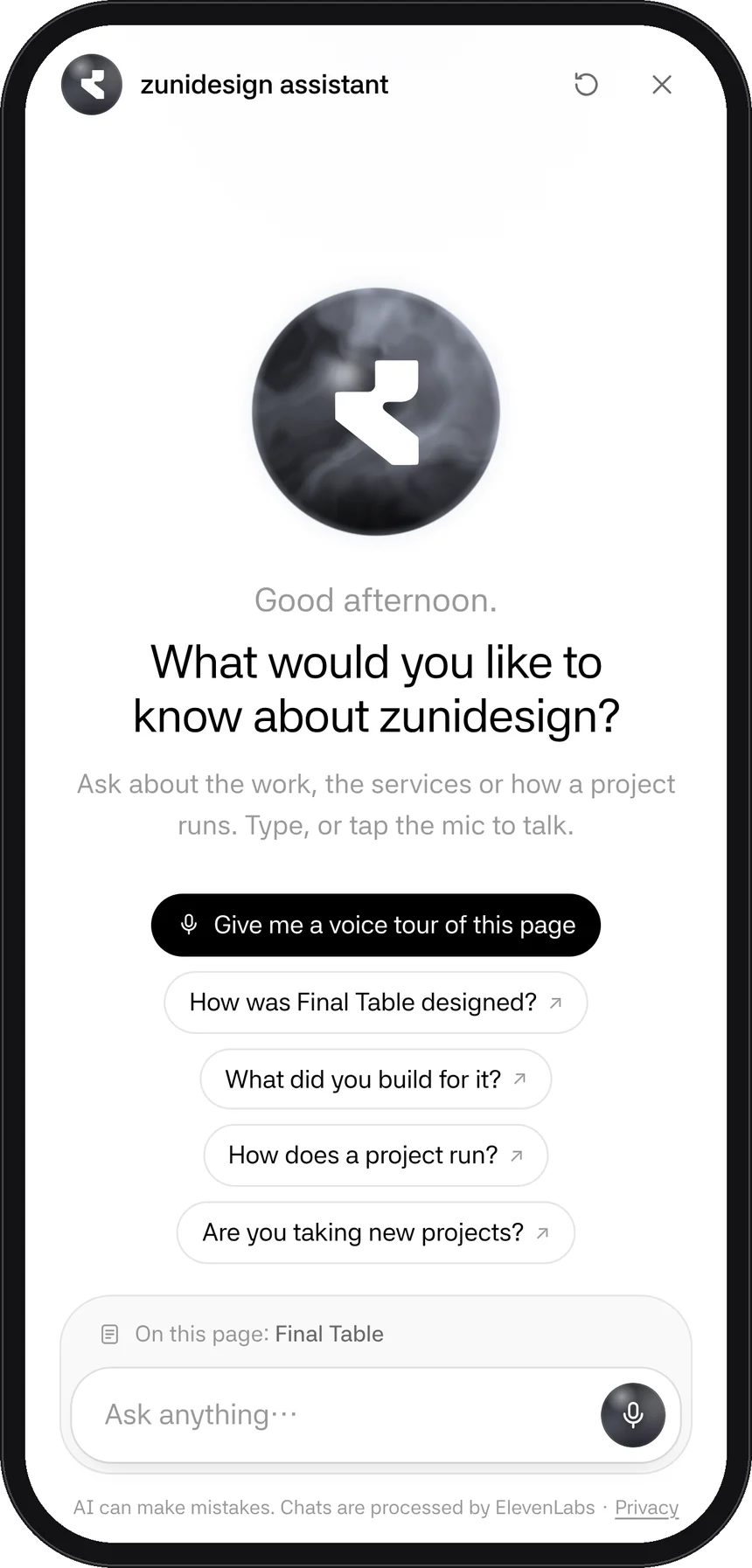
On phones the assistant opens full height, suggestions stack, and the input sits within reach of your thumb. The page behind stays still, so scrolling the chat never scrolls the site.
The Orb
Five directions, one pearl
The orb is the assistant's face, so it went through the most rounds: eclipse, electric blue, ink, mist and the pearl that shipped (an early green one and a CRT glitch version were dropped too). To decide, we built an orb lab: one shader with sliders for the swirl, light, rim and how strongly it reacts to a voice, plus a "copy settings" button. The numbers chosen in the lab are the ones running on the site.

Trust
Honest about what it is
Every screen says the assistant can make mistakes and who processes the chat, with a link to plain-language privacy notes. It doesn't quote prices, voice recordings aren't stored, and transcripts are deleted after 30 days.
Access
Works without a mouse or motion
The / key opens it, M mutes, Esc steps back. New messages are announced to screen readers, focus stays inside full screen, and with reduced motion the orb holds still. If the connection drops, it says so instead of spinning.
Under the Hood
Small, quick and on the site's own terms
- Brain
- A conversational agent on ElevenLabs with a fast language model and a knowledge base built from the site's own pages.
- Tools
- Two tools that run in the browser: open a page, and show the booking card. Everything else is just talking.
- Weight
- The voice client loads only when someone reaches for the button, about 69 KB. The orb is a single WebGL shader with a still fallback.
- Measured
- Opens, voice calls, pages opened by the assistant and booking clicks are counted without cookies, to see what people actually use.
It's running on this page
Ask it how this case study was made, or anything else about the studio.

 Book a meeting