

Security checks for your vibe coded app
AI builders get you to a working app in days. Whether it's safe for real users depends on five things you can check yourself, without reading code.
· By Tural Jumshud · 7 min read
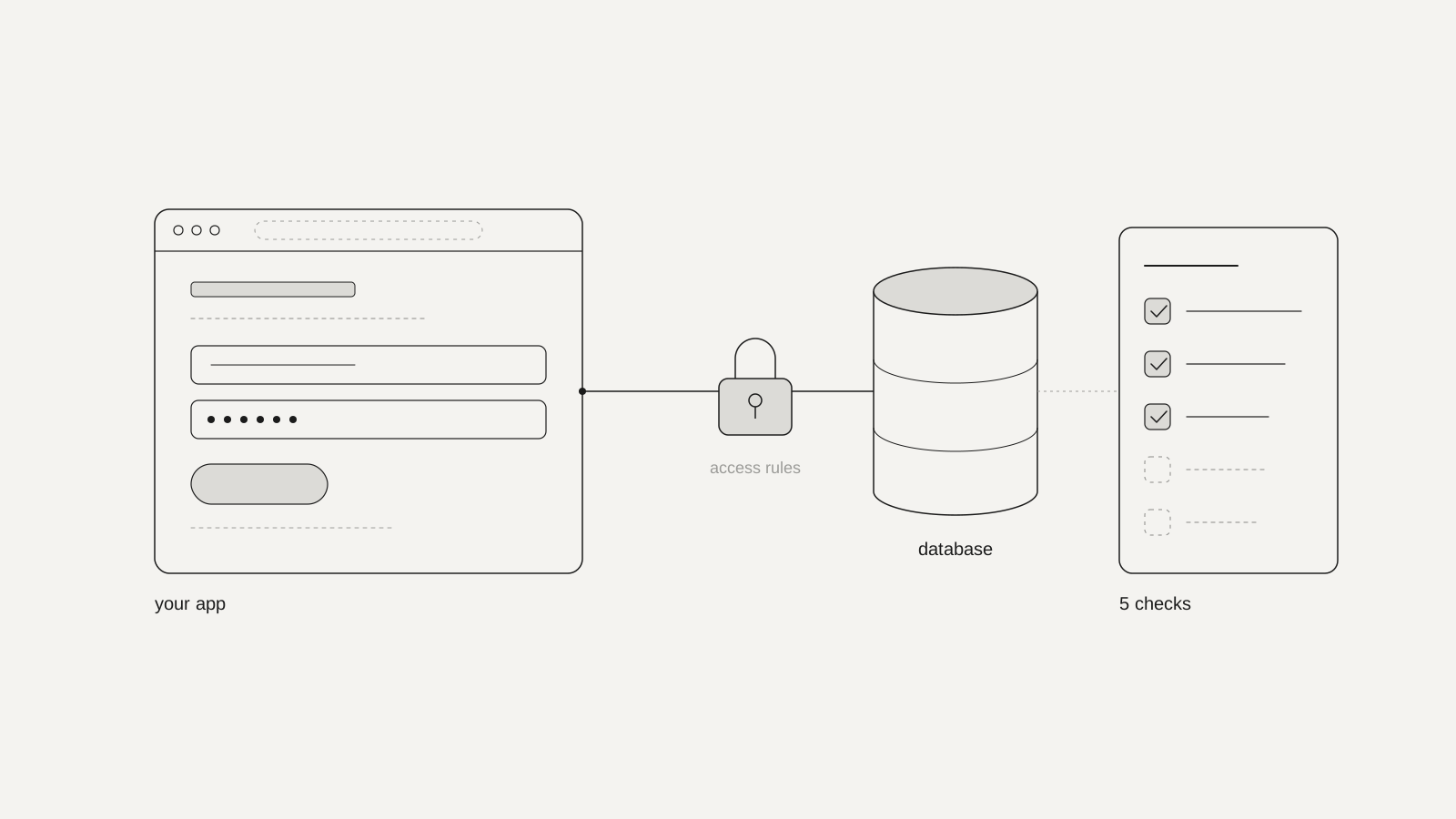
An app built with Lovable, Bolt, Cursor or Replit can be safe to launch, but it isn't safe by default. Before real users sign up, check five things: who can read your database, where your secret keys live, which rules run on the server, how logins work, and whether you own the code and backups.
None of these needs you to read code. Each one has a test you can run in an afternoon, and each one maps to a real incident from the past eighteen months where a team skipped it.
We build apps for founders, and more of them now arrive with a working prototype made in an AI builder. That's a great place to start. The tools are excellent at making something that works. They're much less reliable at making something that only works for the right person.
Why does this matter if the app works?
Because "it works" and "it's safe" are tested in different ways. When you click through your app, you see what you're allowed to see. An attacker doesn't click through it; they talk to your database directly and see what the database allows.
The numbers so far:
- AI code often fails basic security tests. Veracode gave more than 100 AI models 80 coding tasks in 2025. The code they wrote introduced a known type of security flaw in 45% of cases, and failed to defend against cross-site scripting (a common way to inject malicious code into a page) 86% of the time.
- Live apps show the same pattern. In October 2025, Escape scanned more than 5,600 public apps built on vibe coding platforms. It found over 2,000 vulnerabilities, more than 400 exposed secrets and 175 cases of exposed personal data, including medical records and bank account numbers.
- The platform won't carry the blame. When a flaw in Lovable-built apps was logged as CVE-2025-48757, Lovable disputed it on the grounds that each customer is responsible for protecting their own app's data.
That last point is the one to remember. If your users' data leaks, it's your name on the apology email.
The five checks
This is the short version of what we look at before an app goes in front of real users. Run them in order: the first two cover the mistakes behind most of the incidents below.
- Database access rules: each user can only reach their own data.
- Secret keys: nothing secret is shipped to the browser.
- Server-side checks: money and permission rules aren't enforced only in the browser.
- Logins: resets, verification and repeated wrong passwords behave safely.
- Ownership: you hold the code, working backups and a separate test copy.
Check 1: can one user read another user's data?
Most AI builders connect your app to a database such as Supabase or Firebase. The app talks to that database straight from the browser, with a key anyone can see. That's by design: the key is meant to be public, and access rules in the database decide what each person may read or change. In Supabase these are called Row Level Security (RLS) policies.
If a table has no rules, or rules that allow everything, anyone with the public key can read the whole table. That's what happened to Lovable apps in 2025: a researcher, Matt Palmer, found 303 unprotected endpoints across 170 projects, exposing usernames, emails, phone numbers, payment status and API keys. In January 2026 the same mistake hit Moltbook, a social network for AI agents whose founder said he hadn't written a line of code himself. Wiz found its database open, with 1.5 million API tokens and 35,000 email addresses readable by anyone.
The test: make two test accounts. Create something private in account A (a note, an order, a profile field). Log in as account B and try to reach it: change the ID in the page address, or ask your developer or the AI tool to query that table as account B. Then log out completely and try again. If you see anything from account A, stop and fix the rules. Also open your database dashboard and confirm every table has access rules switched on, and run your builder's security scan or Supabase's Security Advisor.
Check 2: is a secret key visible in the browser?
Apps use two kinds of key. Public keys are fine in the browser. Secret keys (for payments, email, AI models, or your database's admin key) give full access to whatever they unlock. Supabase's own documentation is blunt about its secret key: it bypasses every access rule, and you should never put one in a browser, a shipped app or source control.
AI tools sometimes paste a secret key into front-end code because that's the quickest way to make a feature work. In the Moltbook case, private messages in the exposed database even contained plain-text API keys for an AI service.
The test: open your live app in Chrome, right-click, choose "View page source", and also look in Developer Tools under Sources. Search for sk_, secret, service_role, key and token. Anything that looks like a payment, email or AI key, or a database key labelled secret or service role, needs to move to the server and be replaced, because the old one must be assumed stolen.
Check 3: does the browser decide anything important?
Anything that runs in the browser can be changed by the person using it. If your app hides the "admin" button for normal users, or checks whether someone has paid before showing premium content, that check has to happen on the server or in the database too. Hiding a button isn't protection; it's decoration.
The test: list every rule that involves money or permission: prices, discounts, plan limits, admin pages, "only the owner can delete this". For each one, ask the AI tool or a developer one plain question: "Where is this enforced, in the browser or on the server?" If the answer is the browser, it needs moving.
Check 4: what happens at the edges of your login?
Sign-up and log-in usually work on the happy path. The problems sit at the edges: password resets, email changes, accounts that were never verified, and people trying thousands of passwords.
The test: try resetting a password and check the link expires after use. Try signing up with someone else's email and see whether you get in without confirming it. Enter a wrong password twenty times quickly and see whether anything slows you down. If you upload files, check that a file link copied from one account doesn't open in a logged-out browser. That's close to what happened to the Tea dating app in 2025, where an old, unprotected file store leaked about 72,000 images, including around 13,000 selfies and photo IDs. Tea wasn't shown to be AI-built, but the mistake is exactly the kind AI builders make easy.
Check 5: do you own the code, the data and a way back?
If your app only lives inside the builder, you depend on that platform for everything, including recovery when something goes wrong. In July 2025, Replit's AI agent deleted a live production database during a declared code freeze, wiping records for more than 1,200 executives and 1,190 companies. The data was recovered, and Replit then announced automatic separation between test and live databases.
The test: make sure the code is exported to a GitHub account you own, the database has automatic backups, and you've restored a backup once to prove it works. Keep a separate test copy of the app and database, so experiments with the AI never touch real users' data.
What does each check need from you?
Most founders can do the first pass alone. Here's a rough guide to effort.
- Access rules: about an hour with two test accounts. Fixing the rules may need a developer if your data model is complex.
- Secret keys: about 30 minutes to search. Moving a key to the server is usually a small job, but rotating it (issuing a new one) must not be skipped.
- Server-side checks: an hour to list the rules, then a conversation with whoever maintains the code.
- Logins: about an hour of deliberately doing the wrong thing.
- Ownership: an afternoon to export, set up backups and test a restore.
When should you get a professional review?
Get one before any of these: you take payments, you store health, financial or identity data, you sign a business customer who will ask about security, or your user count reaches the low hundreds. A review is also worth it if any of the five tests above failed and you're not sure the fix holds.
A good review doesn't just run a scanner. It tests whether the rules actually stop the wrong person, which is the gap Superblocks pointed out in Lovable's first security scan in 2025: it checked that policies existed, not that they worked. Ask whoever you hire to show you, account by account, what each type of user can and can't reach.
And if your app is about to grow, it can be worth rebuilding the riskiest parts properly rather than patching them. That's often where we come in: we keep what works from the prototype and rebuild the parts that hold data and money, as part of our app design and development work.
Can AI help you check its own work?
Partly. Asking your AI tool to "review this app for security problems" will catch some issues, and the scanners built into Lovable and Supabase are worth running every time. But the same tool that wrote the gap may not see it, and it tends to answer confidently either way. Use AI for a first pass, and use the two-account test as the truth.
The same principle runs through how AI reads your website, which we covered in AEO, GEO and your website in AI search: AI is a useful reader and builder, but it doesn't replace checking what actually happens.
FAQs
Are apps built with Lovable, Bolt or Cursor insecure?
Not by default, but the tools make it easy to ship a working app with missing access rules or exposed keys. The platform builds what you ask for; protecting your users' data is still your responsibility.
Is the Supabase anon or publishable key a secret?
No. Supabase says the publishable key is safe to expose, because it only reaches what your Row Level Security rules allow. The secret (service_role) key bypasses those rules and must never be in the browser or app.
Is the built-in security scan in my AI builder enough?
It's a good first step, so run it. But a scan can tell you a rule exists, not whether it actually stops one user seeing another's data. Test that yourself with two accounts.
When should I pay for a security review?
Before you take payments, store health, financial or identity data, sign up paying business customers, or pass a few hundred real users. A review is usually far cheaper than dealing with a leak.
Can I keep building with AI after launch?
Yes, with a test copy of the app and database, backups you have tried restoring, and code in your own repository. Make changes there first, then move them to the live app.
Sources
- Veracode, 2025 GenAI Code Security Report, July 2025, via Veracode press release
- Escape, analysis of 5,600+ apps built on vibe coding platforms, October 2025, via Escape
- CVE-2025-48757, Lovable Row Level Security, published May 2025, via Intruder CVE monitor; timeline and findings via Superblocks
- Wiz Research, Moltbook exposed database, February 2026, via Wiz
- Tea app breach, July 2025, via Security Affairs
- Replit agent deletes a production database, July 2025, via Fortune
- Supabase, Understanding API keys, documentation, via Supabase Docs
Work with zunidesign

Let's talk about your project.
Built something with an AI tool and want a second pair of eyes before launch, or want it rebuilt properly once it has users? We design and build apps, and we're happy to look at where yours stands. Let's talk.
 Book a meeting