

Why apps get rejected from the App Store, and how to plan for it
Apple turned down about one in four app submissions in 2025. Most of those rejections were for reasons you can see coming, which means you can plan for them.
· By Tural Jumshud · 8 min read
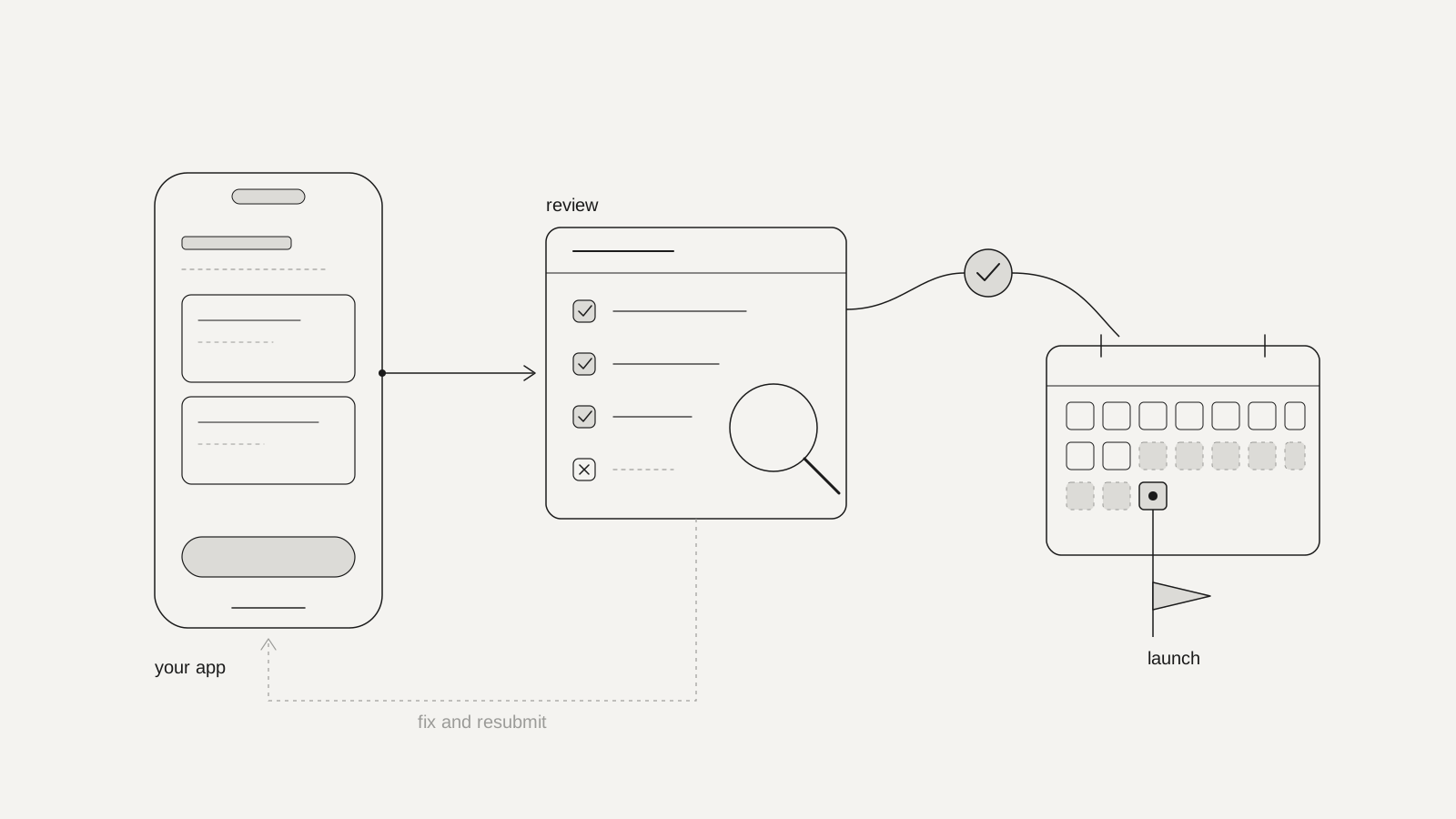
Apple usually rejects an app for predictable reasons: it crashes or looks unfinished, the reviewer can't log in, privacy details or account deletion are missing, it does too little to count as an app, or sign-in and payments don't follow Apple's rules. Almost all of these can be checked, and fixed, before you submit.
Rejection is common, and it isn't a judgement on your idea. In 2025 Apple reviewed 9.1 million app submissions and rejected about 2.09 million of them, roughly one in four. That includes over 1.2 million brand-new apps and nearly 800,000 updates to apps already on the store.
What hurts isn't the rejection itself. It's a rejection that lands two days before a launch you've already announced. So this post covers both halves: why apps get turned down, and how to plan so it doesn't move your date.
What does Apple actually reject apps for?
Mostly for apps that aren't finished. Apple's own App Review page says that, on average, over 40% of unresolved issues relate to one guideline, 2.1 App Completeness, which covers crashes, placeholder content and incomplete information.
Apple's 2025 Transparency Report groups rejections by section of its guidelines. One submission can be rejected under more than one section, so the totals overlap, but the order tells you where to look:
- Performance: 1,354,418 rejections. Crashes, bugs, broken links, placeholder text, missing demo logins, inaccurate screenshots.
- Legal: 495,673. Mostly privacy: what you collect, why, and whether you said so. Apple says over 443,000 submissions were rejected for privacy violations.
- Design: 415,532. Copycats, spam and apps that do too little.
- Business: 283,820. Payments and subscriptions handled outside the rules.
- Safety: 151,159. Objectionable or harmful content, user-generated content without moderation, and similar.
The good news is in the same report: 387,087 submissions were approved after an earlier rejection. A rejection is usually a list of things to fix, not a closed door.
The six rejections we plan for on every app
These six map onto the biggest categories above, and each one can be designed for from the start.
The build isn't finished (guideline 2.1)
A crash on launch, a button that leads nowhere, "coming soon" screens or dummy text left in place. Submit only what you'd be happy for a customer to open today. Test it on a fresh install and an older phone, not just the one you've been developing on, because the reviewer won't be using yours.
The reviewer can't get in (2.1)
If any part of the app needs a login, Apple asks for a working demo account, and the guidelines add, in brackets, "turn on your back-end service". Expired test accounts, a staging server that sleeps overnight, or a sign-in that needs a code sent to your own phone will all stop review. Write clear review notes explaining anything unusual, such as hardware the app pairs with or a feature only available in certain countries.
Privacy details don't match the app (5.1.1 and 5.1.2)
Every app needs a privacy policy linked both in App Store Connect and inside the app. Each permission request (camera, location, contacts) needs a plain explanation of why. Your App Store privacy answers have to match what the app and its third-party tools really collect. If you send personal data to an outside AI service, the guidelines now name third-party AI explicitly: say so, and ask permission first.
No way to delete the account (5.1.1(v))
If people can create an account in your app, they must be able to start deleting it in the app, usually from account settings. Apple's help page is specific: deactivation alone is insufficient, and outside regulated industries you shouldn't make people call, email or chat with support to do it. Guest accounts created automatically count too.
It does too little (4.2 and 4.3)
Apple wants apps to go "beyond a repackaged website". A thin wrapper around your site, a set of links, or a single static screen is likely to be refused. In June 2026 Apple also tightened 4.3 against apps "indistinguishable from what's already widely available", naming categories such as flashlights, wallpapers, simple timers and dating apps that need a meaningfully different experience to get in.
Sign-in and payments break the rules (4.8 and 3.1.1)
If you offer Google or Facebook login for the main account, you must also offer an equivalent option that limits data to name and email and lets people keep their email private; Sign in with Apple is the usual way to meet that. Digital things unlocked inside the app, such as subscriptions, premium features or credits, generally have to use Apple's in-app purchase. Physical goods and real-world services don't.
The rules keep moving, so check what changed before each release. In October 2026, for example, Apple added a new rule (2.5.19) against hidden, dormant or undocumented features, and widened its user-generated content rule to cover apps where people generate content, not only upload it.
How long does review take, and how does it change your launch date?
Apple says App Review typically handles at least 50% of submissions in under 24 hours and 90% in under 48 hours. That's the time for one pass. The real risk is the loop: rejected, fix, resubmit, wait again.
So we plan a store launch like this:
- Submit at least a week before the date you announce. On Apple you can choose to release manually once approved, so an early approval costs you nothing. If you announce first and submit second, the review queue decides your launch date.
- Prepare the review pack while you build, not after. Demo account, review notes, privacy answers, privacy policy, support link, screenshots of the real app, and the account deletion flow. Most of it is design and writing work, so it belongs in the design phase.
- Ship a small update through review before any big moment. It shows you how review responds to the current build while there's still time to change things.
- Know your options for the urgent case. Apple offers expedited review for critical bug fixes or a release tied to an event, but it's a request, not a guarantee. If a bug-fix update is held up by other issues, Apple says you can choose to fix those in your next submission, unless there are legal or safety concerns.
Is Google Play any different?
Yes, and the biggest difference comes before review. Google requires personal developer accounts created after 13 November 2023 to run a closed test with at least 12 testers who stay opted in for 14 days in a row before applying for production access. It was 20 testers until December 2024. Testers who drop out and rejoin don't count towards the 14 days.
That rule adds at least two weeks to a first Android launch from a new personal account, and finding 12 real testers who keep the app installed takes planning of its own. Organisation accounts aren't covered by this requirement, which is one reason to publish under your company from the start.
After that, Google's help pages say production review is usually seven days or less, but can take longer. The other common blockers are:
- The Data safety form. Every app on Google Play must complete it, even one that collects no data, and it needs a privacy policy. Google says you alone are responsible for it being accurate, and a mismatch with how the app behaves can lead to enforcement.
- Target API level. Since 31 August 2026, new apps and updates must target Android 16 (API level 36). An app built on an older template or framework version may need upgrading before it can be submitted at all.
What should you do when the rejection email arrives?
Read it slowly, then reply rather than react. The message cites a guideline number and usually describes what the reviewer ran into.
- Find the guideline and read its full text, not just the heading.
- Reproduce what the reviewer saw, on a clean install, logged out, on an older device if you can.
- If it's a misunderstanding, reply in App Store Connect with a short, factual explanation and, where it helps, a screen recording. This can clear a rejection without a new build.
- If it's a real gap, fix it, mention the fix in your review notes, and resubmit.
- If you still believe the app complies, appeal to the App Review Board with specific reasons. Apple allows one appeal per rejected submission, so make it count.
Keep a simple log of every rejection and what fixed it. The same reviewer questions tend to come back with each major release, and the log becomes your checklist.
Where do rejections start in the design process?
Earlier than most teams expect. Account deletion, permission explanations, a sign-in screen with the right options and a paywall that uses in-app purchase are all screens someone has to design. If they're missing from the designs, they get rushed in during the last week, which is exactly when rejections happen.
The same thinking applies to apps built quickly with AI tools: the checks in our post on security checks for your vibe coded app overlap with what Apple's privacy review looks at, because both come down to what your app does with people's data.
That's how we approach it in our app design and development work: the store requirements go into the first flows, and the review pack is written alongside the build rather than in the last week. Final Table, our own poker tracker, is live on both the App Store and Google Play. No one can guarantee an approval, but you can make sure a rejection is a quick fix rather than a moved launch.
FAQs
Why was my app rejected by Apple?
Usually for one of a few predictable reasons: it crashed or looked unfinished, the reviewer couldn't log in, privacy details or account deletion were missing, it did too little to count as an app, or sign-in or payments broke Apple's rules. The rejection message names the guideline number; start there.
How long does App Store review take?
Apple says it typically reviews at least half of submissions in under 24 hours and 90% in under 48 hours. Incomplete submissions take longer, and a rejection adds a fix-and-resubmit cycle, so plan in days, not hours.
Can I appeal an App Store rejection?
Yes. If you believe the app complies, you can appeal to the App Review Board, giving specific reasons and submitting one appeal per rejected submission. Often it's faster to reply in App Store Connect with a clarification or fix the issue and resubmit.
Is Google Play review easier than Apple's?
Different rather than easier. Review itself is usually seven days or less, but personal developer accounts created after 13 November 2023 must first run a closed test with at least 12 testers for 14 days in a row before they can publish.
Do I need account deletion in my app?
If people can create an account in your app, Apple requires that they can also start deleting it from inside the app. Deactivating the account or asking people to email support isn't enough.
Sources
- Apple, 2025 App Store Transparency Report, via Apple
- Apple Newsroom, The App Store stopped over $2.2 billion in fraudulent transactions in 2025, May 2026, via Apple Newsroom
- Apple, App Review: review times, common issues, expedited review and appeals, via Apple Developer
- Apple, App Review Guidelines (2.1, 4.2, 4.3, 4.8, 5.1.1, 5.1.2, 3.1.1), via Apple Developer
- Apple, Guideline 5.1.1(v) account deletion, via Apple Developer
- 9to5Mac, Apple tightens App Store rules against apps that don't add value, June 2026, via 9to5Mac; October 2026 update via 9to5Mac
- Google, App testing requirements for new personal developer accounts, via Play Console Help; change from 20 to 12 testers, December 2024, via Android Developers Blog
- Google, Data safety section and target API level requirements, via Play Console Help and Android Developers
Work with zunidesign

Let's talk about your project.
Planning an app and want the store side handled from the start, from privacy answers to the review notes? We design and build iOS and Android apps and take them through review. Let's talk about yours.
 Book a meeting